

As retail brands expand across regions, states, or entire countries, maintaining SLA consistency becomes one of the most difficult operational challenges. Each location depends on stable POS systems, reliable Wi-Fi, responsive CCTV, functional back-office devices, and uninterrupted payment processing. Even a single store falling below SLA can impact revenue, brand trust, and operational efficiency.
Retail IT Directors, Franchise Owners, and Regional Operations Managers must ensure that every store receives the same level of support, response times, and technical quality, regardless of location size, region, or foot traffic. Achieving this requires a structured approach to dispatch operations, standardized technology deployment, proactive monitoring, and unified accountability frameworks.
This guide outlines how to maintain SLA consistency across all retail locations, even when managing hundreds of stores with different configurations and local challenges.
Why SLA Consistency Is Difficult in Retail Environments
Retail environments face unique operational challenges that affect reliability:
- High foot traffic puts pressure on POS and Wi-Fi
- Seasonal peaks (holidays, promotions) create nonstandard workload
- Stores differ in size, layout, and equipment
- Varying construction quality affects cabling and signal performance
- Regional differences in infrastructure availability
- Staffing inconsistencies lead to unpredictable ticket escalation
- Field technician coverage varies by geography
Without strict standards and a well-orchestrated dispatch network, SLAs degrade rapidly across locations.
The Foundations of SLA Consistency in Retail
Build a Unified SLA Framework for All Stores
Your SLA framework should define targets for:
- Response times (e.g., 30 minutes for P1)
- Onsite dispatch times (e.g., 4 hours for major outages)
- Mean time to resolution (MTTR)
- Uptime requirements for POS, Wi-Fi, CCTV
- Acceptable latency thresholds
- Regular maintenance windows
- Monitoring and alerting policies
These SLAs become the baseline for measuring performance across the entire retail network.
Standardize All Store Technology
Tech stack standardization is one of the biggest factors in SLA consistency.
Standardize:
- POS models
- Access points
- Switches and routers
- AP heatmap rules
- CCTV hardware
- Rack layout and patch panels
- Cabling materials
- UPS configurations
The more uniform the infrastructure, the easier it is to maintain SLAs across regions.
Strengthening Field Dispatch Operations
Build a Nationwide Dispatch Network With Tiered Coverage
For consistency, you need:
- Primary field technicians per region
- Secondary overflow technicians
- Remote engineer support
- Specialized technicians for CCTV, cabling, and POS
- On-call teams for peak seasons
Coverage gaps create SLA failures—tiered staffing solves it.
Use Standardized Technician Playbooks
All stores should receive the same quality of work using:
- Standard operating procedures
- Wiring and labeling requirements
- POS installation workflows
- AP and camera placement diagrams
- Field QA checklists
- Photo documentation requirements
Playbooks eliminate technician-to-technician variability.
Require Mandatory Proof of Work
This includes:
- Before/after installation photos
- Speed test results
- POS test transactions
- CCTV playback validation
- AP signal strength screenshots
- Network closet documentation
Proof of work ensures field teams meet your expected SLA standards.
Monitoring & Alerting to Support SLAs
Deploy Centralized Monitoring Tools
Monitor:
- POS connectivity
- AP uptime
- Switch and firewall health
- CCTV streaming
- Bandwidth utilization
- Latency and packet loss
- Device temperature and PoE usage
Monitoring allows you to catch issues before they breach SLAs.
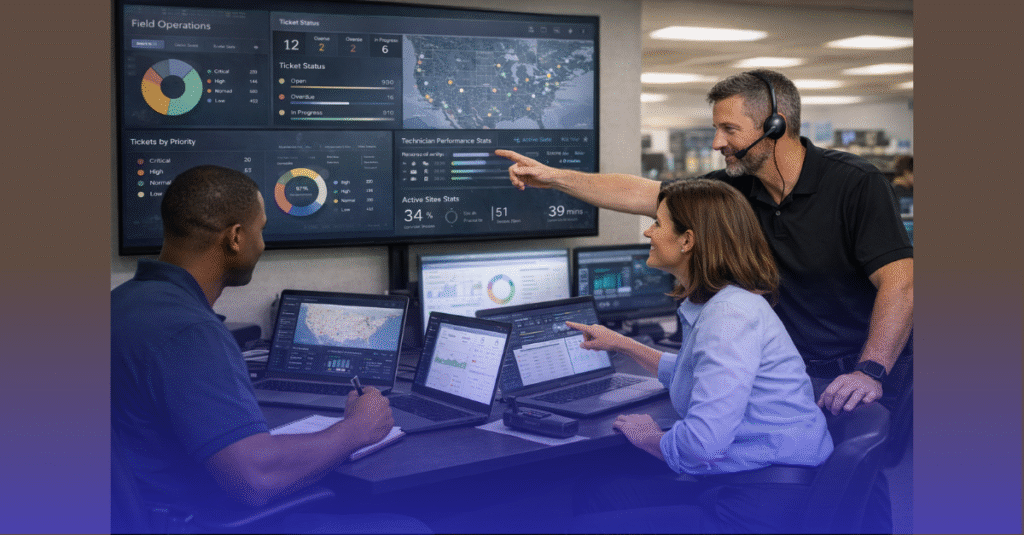
Use SLA Dashboards for Real-Time Visibility
Dashboards should display:
- Store uptime
- Ticket volumes by region
- SLA compliance percentages
- MTTR per store
- Response time averages
- Top recurring issues
- Technician performance
Retail leadership should have daily visibility into SLA status metrics.
Implement Automated Alerts for Critical Systems
This includes alerts for:
- POS offline
- AP or switch down
- Payment gateway failures
- WAN connectivity issues
- Camera recording stoppages
- VPN tunnel downtime
Faster alerts = faster response times.
Standardizing Issue Classification & Response Protocols
Use a Clear Severity Matrix for All Stores
Examples:
- P1: POS down, store cannot transact
- P2: Major systems down (Wi-Fi, CCTV, switch failure)
- P3: Performance issues, intermittent outages
- P4: Low-priority cosmetic or configuration items
This ensures predictable response patterns.
Define Response and Resolution SLAs
Examples:
- P1 → 15–30 minutes response, 4-hour onsite
- P2 → 30–60 minutes response, same-day onsite
- P3 → 24-hour resolution
- P4 → 3–5 days resolution
Every technician and store manager must understand expectations.
Build SOPs for Recurring Retail Issues
Document, step by step, how to resolve:
- POS connectivity failures
- IP conflicts
- AP dropping clients
- CCTV camera offline
- Printer issues
- Payment terminal pairing
- VLAN misconfigurations
- Switch port failures
SOPs reduce MTTR and improve SLA consistency.
Ensuring SLA Consistency Through QA
Establish Multi-Layer QA for Every Job
Layer 1: Field Technician QA
Ensures installation meets immediate standards.
Layer 2: Remote Engineer QA
Verifies network configurations, device adoption, and security rules.
Layer 3: Command Center QA
Confirms performance metrics and final store readiness.
Require Go-Live Readiness Before Store Openings
A standardized checklist should include:
- POS transaction test
- AP coverage verification
- Guest Wi-Fi segregation
- Camera recording validation
- Backup internet failover test
- Rack labeling and cable management inspection
- NVR/cloud storage accessible
- Device firmware up-to-date
This ensures stores launch fully stable on day one.
Maintaining SLA Consistency Long-Term
Use a Centralized Asset Management System
Track:
- Device serials
- Firmware versions
- Warranty status
- Replacement cycles
- Store-by-store configurations
Accurate asset management reduces support variability.
Implement Quarterly Preventive Maintenance
This includes:
- AP cleaning and health review
- Camera lens inspection
- Switch port utilization audit
- POS calibration
- UPS battery tests
- Firmware updates
Preventive maintenance stabilizes SLAs.
Build a Continuous Improvement Loop
Review:
- Monthly SLA performance
- Regional patterns
- Technician scorecards
- Root cause trends
- Deployment inconsistencies
Every cycle strengthens your SLA performance.
SLA Consistency Is the Foundation of Scalable Retail Operations
When SLAs are consistent across all locations:
- Store openings run smoothly
- POS and Wi-Fi stay reliable
- Labor productivity increases
- Loss prevention improves
- Customer satisfaction rises
- Support costs decrease
- Franchise owners trust the system
- Technology becomes a competitive advantage
Consistency across locations doesn’t happen by accident—it is engineered through standards, structure, and strong field dispatch operations.
Ready to Strengthen SLA Performance Across All Retail Locations?
All IT Supported provides nationwide dispatch teams, SLA-driven field operations, standardized IT kits, and centralized monitoring to help retailers maintain consistent performance across all stores. 👉 Check our services to learn how we keep retail networks stable, compliant, and scalable.