

The Challenge: Hardware Refreshes Are No Longer “Routine”
In the enterprise world, hardware swaps are no longer simple lifecycle tasks—they’ve become organizational change events that impact people, processes, data, compliance, and continuity. With Windows 10 approaching end-of-life and organizations accelerating modernization initiatives, IT teams are under pressure to refresh thousands of devices, upgrade endpoints, and deploy new infrastructure across multiple locations without disrupting productivity.
But the real challenge isn’t just technical.
It’s change management.
A hardware refresh introduces new workflows, new security requirements, new software baselines, and new user experiences. Without a clear change management strategy, even the most technically sound refresh can cause downtime, user resistance, data loss, compliance gaps, and major operational setbacks.
This guide breaks down how IT leaders can turn hardware refresh projects into predictable, repeatable, low-friction transitions—especially for multi-location, enterprise environments scaling hundreds or thousands of devices at once.
Why Change Management Matters in IT Refresh Projects
Enterprise hardware refreshes affect every layer of the organization. When a device is swapped, productivity, applications, identity management, and departmental workflows all shift. Strong change management ensures:
- Minimal downtime during swap periods
- Clear expectations for executives, managers, and end-users
- Reduced support tickets and confusion
- Faster adoption of new tools and standards
- Security alignment across refreshed devices
- Proper documentation and asset traceability
In other words—change management is what transforms a refresh from a “technical event” to a business-aligned upgrade.
And as cycles tighten—especially with Windows 10 EOL driving mandatory migrations—IT teams must be able to orchestrate refreshes at scale.
Key Components of Change Management During Hardware Swaps
1. Executive Alignment and Early Communication
Every large refresh begins with a mandate. Whether the trigger is Windows 10 end-of-life, aging hardware, compliance audits, or performance degradation, leadership must understand:
- The scope of the refresh
- The cost of doing nothing
- Expected benefits and risk reductions
- Required downtime windows
- Rollout timelines
Securing executive sponsorship ensures departments cooperate, and users understand why changes are necessary—not just that changes are happening.
2. User Impact Assessment
Before touching a single device, map the human side of the refresh:
- Which teams rely on specialized software?
- Which departments have peak operational hours?
- What downtime tolerance does each role have?
- Which users require temporary loaner devices?
This assessment shapes the deployment schedule and prevents operational surprises.
3. Creating a Clear Deployment Roadmap
A well-structured roadmap transforms chaos into clarity. It typically includes:
- Refresh sequencing (which sites go first and why)
- Device images and baseline standards
- Rollback procedures
- Asset tagging workflows
- Communication checkpoints
- End-user training timelines
Enterprises often run refreshes in phases: pilot → controlled launch → full rollout → post-deployment audit.
This structure ensures learnings from early deployments inform the remaining phases.
Communication: The Heart of Change Management
4. Multi-Stage User Communication Plan
Users resist what they don’t understand.
This is why enterprise refreshes require layered messaging:
Pre-Swap Notices
- Reason for the upgrade
- Expected benefits
- Exact date and time of the device swap
- What to back up or prepare
Day-Of Deployment Updates
- What to expect during the swap
- Support desk information
- How long the migration will take
Post-Deployment Instructions
- Where new apps or tools are located
- How to report issues
- FAQs for new workflows
Clear communication reduces anxiety and prevents post-refresh bottlenecks.
5. Training and Support Enablement
Training isn’t about teaching users “how to use a laptop.”
It’s about preparing them for what’s different.
This includes:
- Updated OS interfaces (Windows 11)
- New security tools (MFA, EDR, encryption)
- New company-wide applications
- Changes in login, identity, or SSO processes
Training formats vary—from video walkthroughs to guided checklists—but the key is helping users feel comfortable on Day One.
Behind the Scenes: The Technical Side of Change Management
6. Standardized Imaging and Configuration
Change management starts with technical consistency.
A strong enterprise refresh relies on:
- A unified gold image
- Pre-provisioned security baselines
- Standard software bundles by department
- Automated enrollment via Intune, Autopilot, or MDM
This ensures every new device is uniform, secure, and compliant.
7. Data Preservation and Transfer Safeguards
Fear of data loss is one of the biggest sources of user resistance.
To reduce this, IT teams implement:
- Automated backups
- Cloud syncing (OneDrive, SharePoint, Google Workspace)
- Profile migration tools
- Validation checks during the refresh
Users who trust their data won’t disappear cooperate more easily and adopt faster.
8. Rollback and Contingency Planning
Even the best refresh plan must include:
- Spare devices
- Immediate rollback capability
- Escalation pathways
- Emergency support availability
This ensures business continuity even if a batch deployment encounters issues.
How Large Enterprises Scale Change Management Across Locations
9. Coordinating Multi-Site Rollouts
Enterprise refreshes often span:
- Corporate headquarters
- Branch offices
- Retail stores
- Warehouses
- Field teams
This requires:
- Coordinated scheduling
- Local on-site technicians
- Standardized documentation
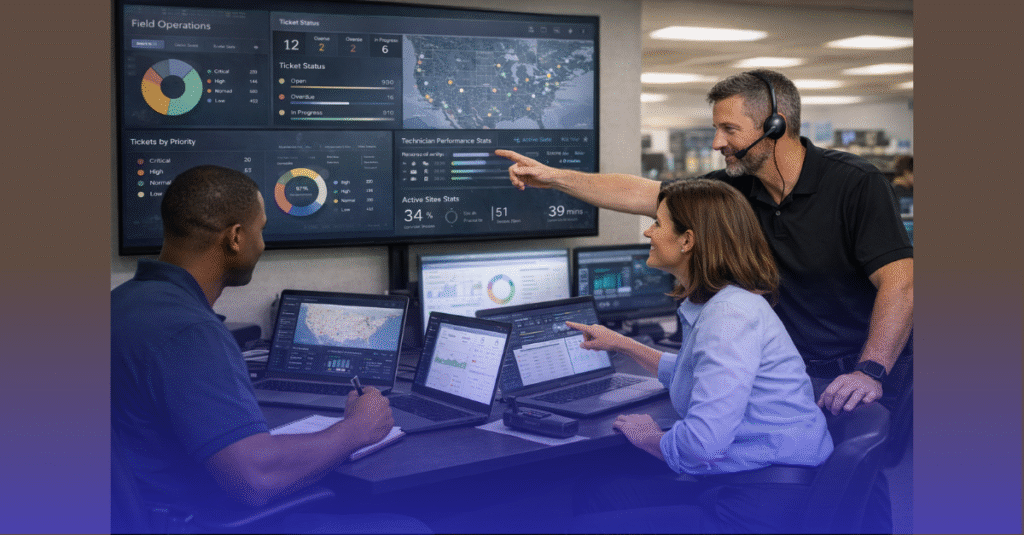
- Centralized progress dashboards
For nationwide enterprises, a logistics-driven dispatch partner becomes mission-critical.
10. Field Technicians and On-Site Execution
A scalable refresh requires technicians who can:
- Image, configure, and deploy devices quickly
- Replace equipment without disrupting operations
- Troubleshoot on the spot
- Validate connectivity, security, and application readiness
- Document asset changes accurately
This is why many enterprises rely on field service partners specializing in national rollouts.
Post-Deployment Change Management
11. Stabilization Phase: The First 72 Hours
Most refresh-related issues surface immediately:
- Login errors
- Missing applications
- Printer or network mapping issues
- Profile sync delays
A stabilization window ensures:
- Rapid triage
- Real-time troubleshooting
- User feedback collection
This prevents small problems from evolving into long-term friction.
12. Follow-Up Surveys and Support Metrics
Gathering user sentiment provides insights on:
- Training effectiveness
- Deployment quality
- Support responsiveness
- Areas for improvement
A mature refresh program continuously learns and iterates.
13. Asset Reconciliation and Reporting
After deployment:
- Asset tags are updated
- Old devices are decommissioned
- Inventory systems reflect new data
- Compliance is validated
- End-of-life hardware is disposed of securely
Accurate reporting keeps financial, security, and procurement teams aligned.
The Hero Perspective: Transforming Change Into Advantage
Change management isn’t just about reducing risk—it’s about unlocking performance.
A well-executed refresh enables:
- Faster systems that boost productivity
- Stronger security baselines
- Better user experience
- Streamlined IT support
- Lower lifecycle costs
- Standardization across the enterprise
IT leaders who handle change well become catalysts—not disruptors.
The Sage Perspective: Lessons Enterprises Should Apply Every Cycle
- Do not treat refreshes as one-time events—make them recurring, structured programs.
- Align technical rollout with human impact analysis.
- Invest heavily in communication before investing heavily in hardware.
- Standardize everything: images, workflows, documentation, training.
- Build post-deployment feedback loops to refine future cycles.
- Partner with specialists who can scale beyond internal bandwidth.
Change management is the strategic foundation of every successful refresh.
When to Bring in an External Partner
Large organizations choose external field service partners when:
- They must refresh hundreds or thousands of devices quickly
- They need technicians dispatched across multiple locations
- Their internal team cannot support the workload
- They need guaranteed SLAs and predictable rollout timelines
- They require documentation and compliance at scale
If your refresh involves multi-site coordination, nationwide deployment, complex imaging, or Windows 10 EOL preparation, an external team ensures consistency—and protects productivity.
Ready to Streamline Your Next Hardware Refresh?
All IT Supported specializes in nationwide device deployments, lifecycle planning, on-site staffing, and full-scale refresh programs for enterprises. Whether you’re upgrading for Windows 11, scaling devices across hundreds of locations, or building a recurring refresh program, our teams ensure smooth, predictable outcomes every time.
👉 Check our services and see how All IT Supported can help you execute your hardware refresh with zero disruption.