

Multi-year hardware refresh programs are no longer just procurement exercises—they are long-term ecosystem decisions that shape how organizations manage identity, security, automation, device provisioning, and lifecycle operations for years to come. The tech stack you choose today directly influences how efficiently your enterprise can scale hardware rollouts, secure endpoints, modernize applications, and maintain a predictable refresh roadmap.
For IT Directors, Procurement Officers, and Systems Engineers, selecting the right technologies isn’t simply about compatibility—it’s about building a stable foundation for five years or more of device management, imaging, compliance, and multi-site deployment.
This guide breaks down how to design the ideal tech stack for multi-year refreshes and how to ensure every layer—from OS provisioning to endpoint security—supports long-term scalability and operational continuity.
Why Your Tech Stack Determines Refresh Success
A multi-year refresh program involves:
- Consistent device provisioning
- Automated deployment
- Predictable image management
- Long-term vendor alignment
- Security baseline enforcement
- Refresh cycle repeatability
- Multi-site orchestration
- Compliance management
Without the right tech stack, enterprises face:
- Imaging failures
- Deployment bottlenecks
- Inconsistent endpoints across locations
- High support ticket volume
- Patch management gaps
- Increased cyber risk
- Fragmented asset tracking
The right stack eliminates these challenges and turns refresh planning into a repeatable, efficient, and scalable operation.
Designing a Future-Proof IT Refresh Roadmap
Begin With a 3–5 Year Hardware and Software Horizon
A mature refresh roadmap forecasts:
- Hardware lifecycle (3 or 5 years depending on device type)
- Operating system support timelines (Windows 11, macOS, Linux)
- Application compatibility and versioning
- Licensing renewals
- Vendor reliability and roadmap updates
- Security control evolution
Enterprises that choose technology with stable multi-year support cycles reduce surprises and prevent emergency refreshes.
Build Around Standardization, Not Exceptions
Standardization should guide the stack selection process:
- Standard hardware profiles
- Standard OS builds
- Standard security baselines
- Standard deployment workflows
- Standard endpoint configurations
- Standardized image versions
Exceptions multiply complexity; standardization lowers cost, risk, and deployment effort.
Core Components of an Effective Multi-Year Tech Stack
Operating System & Provisioning Layer
Your OS ecosystem defines imaging, deployment, and lifecycle automation.
For Windows Environments:
- Windows 11 Enterprise
- Windows Autopilot
- Microsoft Intune
- Configuration Manager (for hybrid environments)
For macOS Environments:
- Apple Business Manager
- Jamf Pro / Jamf Now
- Declarative Device Management
- Automated Enrollment profiles
For Mixed Environments:
- Unified endpoint management (UEM) tools
- Cloud-based provisioning
- Cross-platform identity providers
A modern provisioning system must support zero-touch deployment—critical for refresh cycles spanning multiple years.
Identity & Access Management
The identity layer must remain stable across refresh cycles.
Best-in-class IAM includes:
- Azure AD / Entra ID
- Okta
- Ping Identity
- SSO for enterprise apps
- Conditional Access
- MFA enforcement
Identity-first design ensures every refresh supports zero-trust security from day one.
Endpoint Management & Configuration
Choose a platform that can:
- Enforce baselines
- Push updates across fleets
- Detect configuration drift
- Manage applications at scale
- Automate patching
- Integrate with SIEM/EDR
Popular choices:
- Microsoft Intune
- VMware Workspace ONE
- Jamf (for macOS ecosystems)
- NinjaOne, Addigy, or ManageEngine (depending on scale)
Endpoint management drives consistency across multi-year refreshes.
Security Stack: The Non-Negotiable Layer
Enterprise-Grade Endpoint Security
Your EDR/XDR solution must be stable across OS releases and hardware generations.
Top choices include:
- Microsoft Defender for Endpoint
- CrowdStrike Falcon
- SentinelOne
- Palo Alto Cortex XDR
Choose tools with multi-year support lifecycles and automated policy enforcement.
Data Loss Prevention (DLP) & Zero-Trust Controls
A multi-year refresh tech stack should support:
- Conditional access
- Device posture validation
- Automatic encryption enforcement
- Cloud and endpoint DLP policies
- Secure boot and hardware root-of-trust
- Remote wipe capabilities
Zero-trust alignment makes long-term refresh programs inherently safer.
Imaging, Deployment, and Automation Tools
Build a Golden Image Strategy for the Long Term
Your imaging stack should support:
- Multiple golden image versions
- Automated driver injection
- Role-specific configuration bundles
- Cloud-based update control
- Dynamic provisioning via Autopilot or ABM
This ensures refresh cycles run smoothly whether scaling 100 or 10,000 devices.
Automate Every Repeatable Task
Automation tools reduce deployment friction:
- Autopilot/Intune task sequences
- Apple Automated Device Enrollment (ADE)
- PXE-based imaging for legacy environments
- Remote provisioning scripts
- Application deployment pipelines
- Device compliance and remediation scripts
Automation is the backbone of multi-year refresh efficiency.
Asset Management & Lifecycle Tracking
A solid multi-year strategy requires real-time visibility.
Your asset layer should support:
- Serial number and asset tag tracking
- Full chain-of-custody
- Lifecycle stage monitoring (procurement → deployment → support → retire)
- Real-time refresh scheduling
- Automated warranty expiration tracking
- Integration with procurement systems
Examples:
- ServiceNow
- Freshservice
- Lansweeper
- HP/Lenovo/Dell fleet management integrations
Lifecycle transparency prevents aging devices from falling out of compliance.
Deployment Logistics for Multi-Location Enterprises
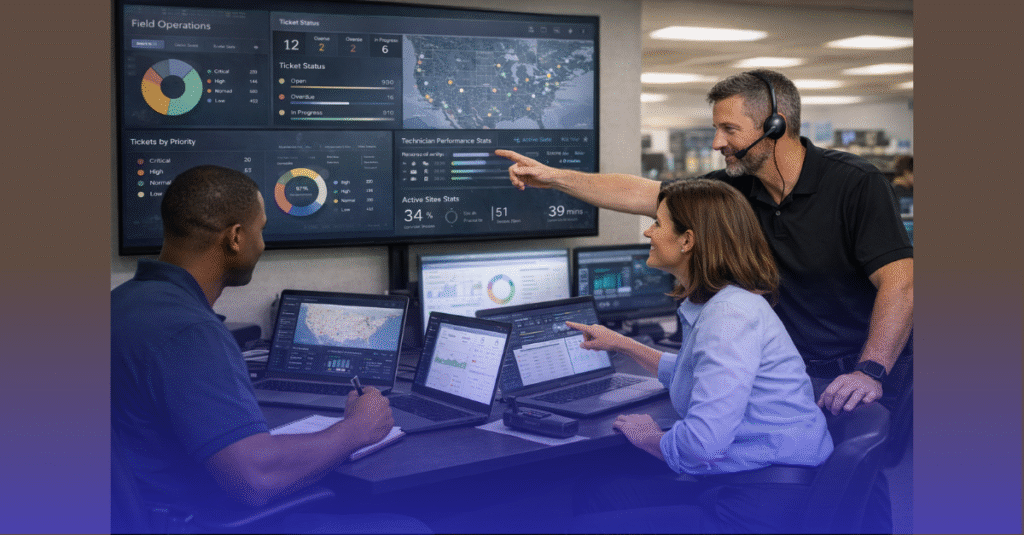
For nationwide or global refresh cycles, logistics technology becomes part of the stack.
This includes:
- Deployment scheduling platforms
- Field technician dispatch systems
- Staging center management
- Inventory and warehouse tools
- Courier and tracking integrations
- Return/repair workflows
For enterprises with dozens or hundreds of sites, having these systems ensures consistent refresh execution year after year.
Building an Evergreen Refresh Foundation
Choose Tools With Multi-Year Roadmaps
When selecting technology:
- Evaluate vendor roadmaps
- Assess reliability and uptime history
- Review long-term OS support
- Check certifications and compliance updates
A multi-year refresh ecosystem must remain stable and predictable.
Prioritize Cloud-Native Tools
Cloud-first systems offer:
- Faster iteration cycles
- Better automation
- Real-time policy enforcement
- Global availability
- Lower total cost of ownership
Cloud-native stacks are inherently easier to scale across years.
Test for Interoperability Before Committing
Before signing multi-year contracts, verify:
- Cross-platform compatibility
- Performance on modern hardware
- Integration with existing security stack
- Support for remote/hybrid environments
- Behavior across new OS versions
This ensures your refresh roadmap won’t break on the next software update.
Avoiding Common Pitfalls in Multi-Year Tech Stack Planning
- Choosing tools that lack automation
- Over-customizing deploy scripts that won’t scale
- Relying on legacy imaging systems
- Underestimating identity complexity
- Using tools with inconsistent licensing models
- Ignoring vendor dependencies
- Neglecting post-deployment compliance
- Not planning for decommissioning and secure disposal
A strong tech stack avoids these traps by design.
Bringing It All Together: The Ideal Tech Stack for Multi-Year Refreshes
A modern refresh ecosystem includes:
Core Infrastructure
- Windows 11 Enterprise / macOS latest
- Azure AD / Entra ID or Okta
- Modern UEM (Intune, Jamf, Workspace ONE)
Security Layer
- EDR/XDR
- Device encryption
- Zero-trust access
- DLP & compliance policies
Deployment & Automation
- Autopilot / ABM
- Golden image repository
- Automated provisioning scripts
- Cloud-based configuration updates
Asset Management
- ServiceNow, Lansweeper, Freshservice
- Serial tracking + lifecycle visibility
Logistics & Execution
- Dispatch tools
- Deployment scheduling systems
- Staging & imaging hubs
- Chain-of-custody tracking
This stack empowers organizations to run refresh cycles with consistency, auditability, and speed—year after year.
Ready to Build the Right Tech Stack for Multi-Year Refreshes?
If you’re planning a multi-year refresh initiative, upgrading for Windows 11, or preparing for device rollouts across multiple locations, All IT Supported can help you design and execute a scalable, secure, and future-proof strategy.
👉 Check our services to see how we support enterprise hardware refreshes and nationwide deployments.