

Live server cutovers represent one of the most delicate, high-stakes components of any enterprise data center migration. Whether transitioning to a new colocation facility, upgrading infrastructure, or performing phased modernization, the sequence in which hardware is powered down, transported, and brought back online determines the success—or failure—of the entire migration.
For CISOs, Data Center Architects, and Compliance Managers, cutovers require precision planning, cross-team coordination, and an unwavering commitment to risk mitigation. Every device must be sequenced correctly to avoid outages, data corruption, configuration drift, or compliance violations across regulated environments such as SOC 2, HIPAA, PCI-DSS, and ISO 27001.
This guide breaks down the best practices, protocols, and sequencing strategies enterprises must apply to execute a live server cutover safely and efficiently.
Why Hardware Sequencing Matters in Live Cutovers
Cutovers are not simply about powering off one rack and turning on another. Hardware sequencing affects:
- Application availability
- Database synchronization
- Redundant pathways (power, cooling, network)
- Load balancing and cluster stability
- Hypervisor readiness
- Storage I/O alignment
- Identity services and authentication
- Monitoring and SIEM ingestion
- Compliance controls
Even a minor sequencing error can trigger cascading downtime—especially in environments with low-latency requirements or strict regulatory oversight.
Proper sequencing ensures:
- Zero data loss
- Zero configuration drift
- Zero unplanned downtime
- Alignment with compliance protocols
- Smooth operational continuity
Preparing for a Live Server Cutover
Begin With a Dependency Mapping and Application Topology Review
Before touching hardware, map:
- Servers by role (DB, app, web, load balancer, file, identity, logging)
- Cross-dependencies between application layers
- Network bindings (VLANs, routing rules, firewall zones)
- Storage mappings and multipath dependencies
- Hypervisor cluster relationships
- High-availability configurations
- Redundant failover nodes
- Service accounts, certificates, and SSO flows
A detailed topology ensures the cutover sequence dictates infrastructure, rather than improvisation dictating the sequence.
Classify Workloads by Criticality
Assign workloads into categories:
- Tier 0: Identity systems (AD, LDAP, Radius)
- Tier 1: Databases, core API services, financial systems
- Tier 2: Application servers, web nodes
- Tier 3: Non-critical services
Cutover order must reflect these tiers to prevent authentication failures, transaction errors, or invalid cache conditions.
Designing the Hardware Sequencing Strategy
Use an N-Way Redundancy Approach
Enterprises should run infrastructure in parallel before cutover:
- Old site active
- New site staged
- Data continuously replicated
- Health checks on all systems
- Load balancers aware of both environments
This enables a smooth transition without downtime.
Sequence by Functional Layers
The most reliable sequence follows this order:
- Prepare Target Infrastructure
- Power, cooling, rack prep
- Network and cabling
- Security appliances
- Firewalls and segmentation
- Power, cooling, rack prep
- Deploy Passive Components First
- PDUs
- Patch panels
- Network switches (not yet routing production traffic)
- PDUs
- Rack and Cable Core Infrastructure
- Firewalls, routers, border gateways
- Storage arrays and SAN switches
- Hypervisor hosts
- Firewalls, routers, border gateways
- Validate Connectivity
- Test cross-connects
- Confirm redundant power feeds
- Validate fiber paths
- Perform failover tests
- Test cross-connects
- Bring Up Identity Systems
- Domain controllers
- IAM/SSO nodes
- Certificate authorities
- Policy engines
- Domain controllers
- Activate Database and Storage Systems
- Sync replication
- Validate journaling, caching, and snapshots
- Ensure active-active or active-passive modes match design
- Sync replication
- Start Application Stack
- API backends
- Web servers
- App pools
- Containers and microservices
- API backends
- Enable Load Balancers and Routing Rules
- Cutover traffic gradually
- Test session affinity
- Validate failback
- Cutover traffic gradually
- Bring Non-Critical Systems Online Last
This sequencing prevents authentication errors, missing data, and mismatched states across applications.
Zero-Downtime Tactics for Live Cutovers
Use Active-Active or Active-Passive Replication
Depending on your architecture:
- Active-Active: Real-time replication with parallel load
- Active-Passive: Standby target goes live once source is powered down
Regardless of mode, replication must be:
- Continuous
- Monitored
- Verified against integrity checks
- Capable of manual failback
Perform Rolling Cutovers Instead of Full Blackouts
Avoid taking entire systems offline.
Instead:
- Cut over one cluster node at a time
- Validate traffic on new node
- Roll remaining nodes gradually
- Keep legacy environment operational until final cutover
Rolling transitions reduce risk and improve response time if issues arise.
Use Staggered Application Restarts
Never restart entire application stacks at once.
Example sequencing:
- Restart cache layer
- Restart API layer
- Restart web layer
- Validate sessions and authentication
This approach reduces error cascades.
Compliance Requirements During Cutovers
Maintain a Live Chain-of-Custody for All Equipment
Document:
- Who handled each device
- When it was powered down
- Who transported it
- When it was racked
- Verification steps at the new site
- Configuration validation
SOC 2 and PCI-DSS require airtight documentation.
Preserve Security Posture During Transition
This includes:
- Maintaining encryption (TLS, disk encryption)
- Enforcing access control at both sites
- Logging all activities
- Monitoring via SIEM in real time
- Running IDS/IPS on both ends during the move
Security controls cannot lapse during cutovers.
Validate Tier Requirements at Target Facility
For Tier 3–4 facilities:
- Confirm dual power feeds
- Validate cooling redundancy
- Stress-test UPS/generator failover
- Verify fire suppression systems
- Confirm SLA documentation
Compliance requires proof that the target meets or exceeds the original environment.
Execution Day: The Live Cutover Process
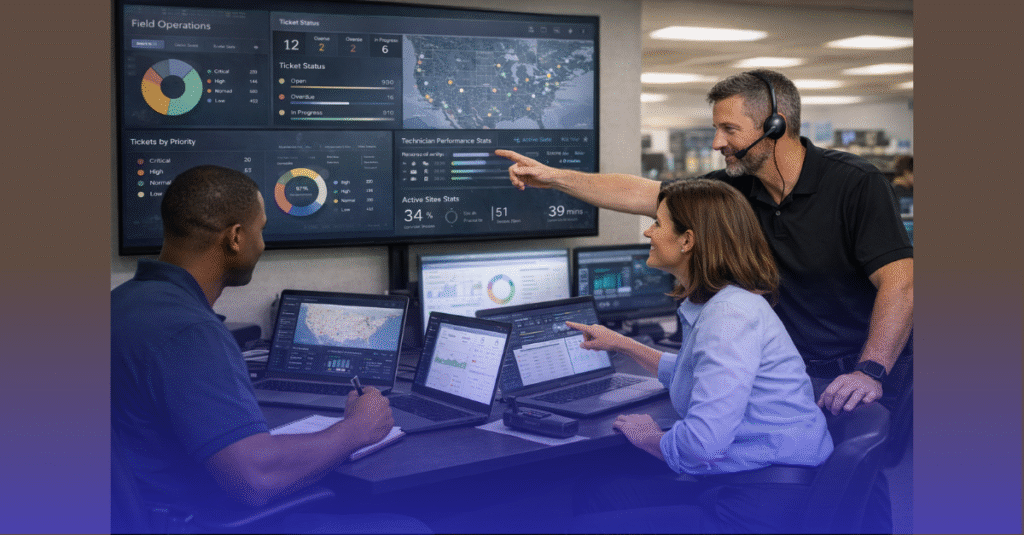
Establish a Cutover Command Center
This should include:
- CISO or Compliance Lead
- Lead Architect or Migration Engineer
- Network and Security teams
- Application Owners
- External service providers
- A real-time communications bridge
Everyone must have visibility into sequencing milestones.
Use Real-Time Dashboards
Monitor:
- Replication lag
- Network throughput
- Application health
- VM cluster status
- Firewall events
- Load balancer activity
- Power usage
Dashboards drive immediate corrective action if anything deviates.
Validate Each Stage Before Proceeding
Do not advance until:
- Connectivity verified
- Data synchronization confirmed
- Failover tests passed
- Application owners sign off
This staged approach prevents catastrophic rollback scenarios.
Post-Cutover Sequencing and Validation
Perform a Final Configuration Drift Audit
Verify:
- Firewall rules
- Routing tables
- VLAN assignments
- DNS propagation
- Certificate services
- SIEM and monitoring integrations
Even small drift can cause large operational failures post-migration.
Update Compliance and Documentation
Prepare:
- Migration logs
- Rack elevation diagrams
- Network maps
- Updated asset inventory
- Access control lists
- Chain-of-custody reports
This documentation supports SOC 2, ISO 27001, PCI, and FedRAMP audits.
Conduct a 72-Hour Stabilization Monitoring Period
Monitor:
- Latency
- Transaction failures
- Authentication logs
- System performance
- Storage I/O
- Load balancer behavior
A stabilization window ensures everything behaves as expected under production load.
Preparing for Future Live Cutovers
Standardize Migration Frameworks
Create standard templates for:
- Cutover plans
- Network diagrams
- Rollback procedures
- Compliance documentation
Reusable frameworks speed up future migrations.
Maintain Multi-Site Readiness
Organizations that regularly expand or modernize should:
- Use modular rack designs
- Adopt virtualization-first strategies
- Keep consistent hypervisor standards
- Maintain failover nodes in secondary sites
These strategies make live cutovers more predictable and resilient.
Test Cutover Scenarios Annually
Annual testing validates:
- Staff readiness
- Process accuracy
- DR/BCP alignment
- New technologies introduced during the year
Live cutovers become safer when tested regularly.
Ready to Execute a Zero-Downtime Server Cutover?
All IT Supported helps enterprises plan and perform live server cutovers with precision—ensuring compliance, sequencing accuracy, and complete operational continuity. From Tier 1 to Tier 4 environments, our migration engineers specialize in minimizing risk during the most sensitive stages of data center transitions.
👉 Check our services to learn how All IT Supported supports secure, compliant, and downtime-free data center moves.